As a Hololive fan, collecting official merchandise is part of the experience. While the Hololive Official Shop and Amazon Japan offer a huge range of exclusive collectibles, high international shipping costs and local delivery restrictions can be a headache for fans in the Philippines.
In this article, we’ll walk you through how to buy from these Japanese sites step-by-step. By using Buy&Ship’s Japan forwarding service, you can easily overcome shipping limits and enjoy much more affordable rates!
Table Of Content
→ I. What is hololive Shop?
→ II. hololive production at Amazon Japan
→ III. FAQ and Member’s Unboxing of hololive Shop
→ IV. How to register and shop hololive Shop Japan?
→ V. Amazon JP Shopping Tutorial
I. What is hololive Shop?
The hololive production OFFICIAL SHOP is the go-to place for all fans. Whether you’re supporting Hololive, Holostars, or Hololive English, you can find everything for your ‘Oshi’ here—including anniversary sets, birthday merch, and limited-time exclusives!
However, the official shop uses DHL for direct shipping to the Philippines, and the shipping fees can be quite painful. Sometimes, the delivery cost is even more expensive than the item itself! To make things worse, if you buy “「同梱限制商品」/ non-consolidatable items” (items that cannot be packed together), you’re forced to split your orders and pay double for shipping.
Here’s the pro-tip: Domestic shipping within Japan is usually only JPY 1,000. By using Buy&Ship, you can take advantage of this cheap local delivery to send your loot to our Japan warehouse first, then ship it back to the Philippines at a much better rate!
The official site also has two “Must-Watch” sections to help you shop:
- New Arrivals: The latest drops are here! From physical merch to digital content, grab them before everyone else.
- Ending Soon: This is for the limited-edition anniversary and birthday goods that are about to go off-shelf. —once they’re gone, they’re gone!
II. hololive production at Amazon Japan
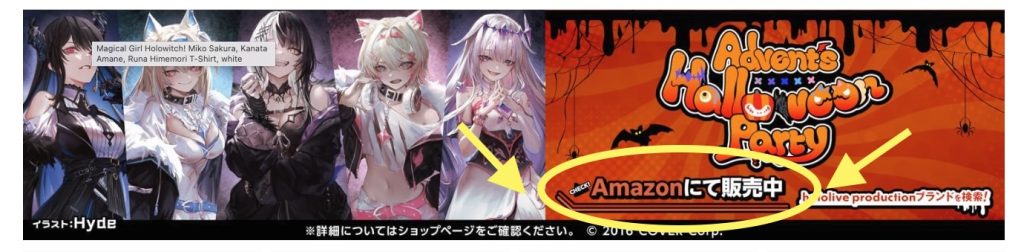
The Hololive Amazon Japan store is another great platform for fans to grab official merch. They offer a wide variety of items like character-themed apparel, accessories, phone cases, and seasonal exclusives. In fact, many Hololive items are Amazon Japan exclusives, so you won’t find them anywhere else!
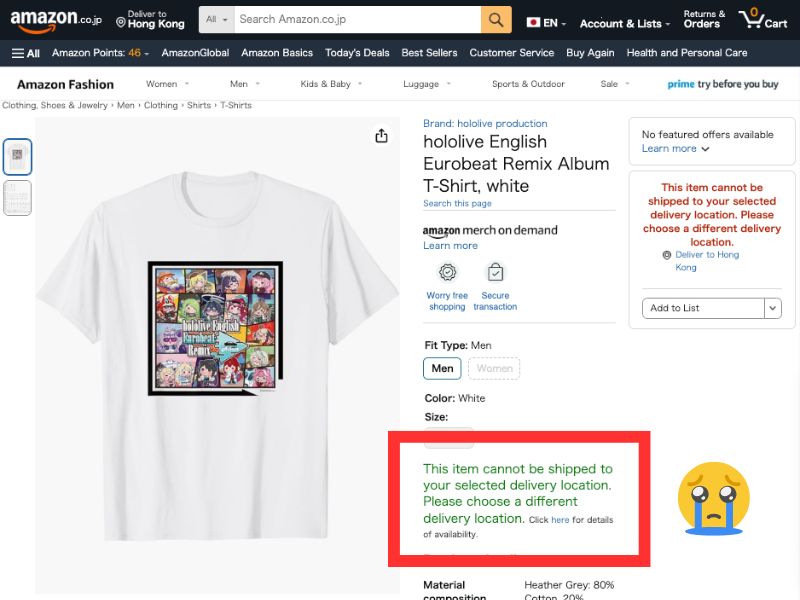
Some items are restricted to Japan-only delivery, meaning they can’t be shipped directly to the Philippines or other regions.
But with Buy&Ship, you can easily forward your loot from Japan to the Philippines! It’s the simplest way to get your hands on all those Hololive exclusives without any shipping limits!”
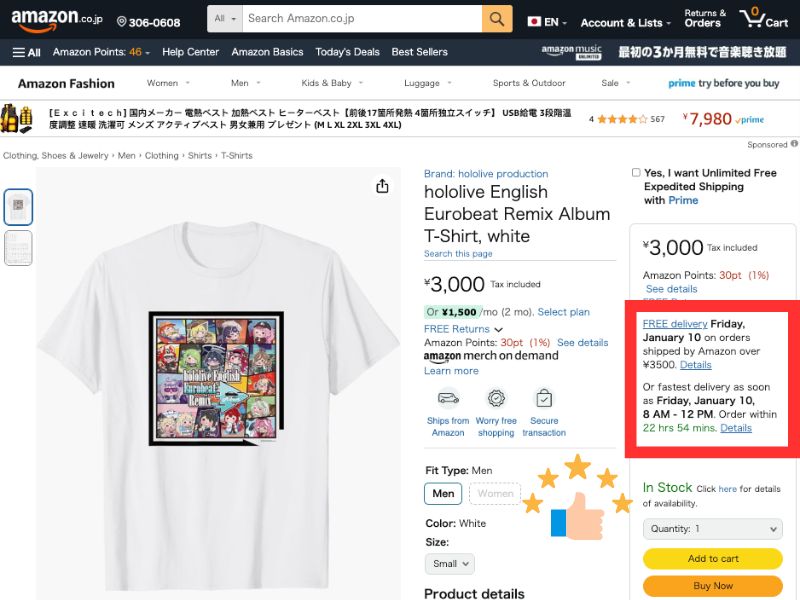
Note: Product prices, quantities etc. may change due to sales. All credits are due to all of the brands featured in the article unless otherwise specified.
III. FAQ and Member’s Unboxing of hololive Shop
1) How much is the official DHL direct shipping fee?
The shipping fee for direct delivery to the Philippines is relatively high, at around PHP999 If you are buying bulkier items like body pillows or Mochidolls, the shipping cost will spike significantly, making it less value-for-money. In contrast, using Buy&Ship’s Japan forwarding service is much more cost-effective. We charge based on actual weight, with rates as low as PHP380/lb, giving you a huge advantage when shipping large merchandise.
2) Why can’t I find certain items? (Made-to-order vs. Limited Edition)
- Made-to-order (受注生産): You are guaranteed to get these items as long as you place your order within the pre-order period (e.g., Birthday Sets).
- Limited Edition (数量限定): These are sold on a “while stocks last” basis. These items are incredibly popular and usually sell out within 1–2 minutes of launch. If you can’t find a specific product, it’s likely because it has been delisted or is already sold out.
3) Does the hololive Shop accept international credit cards?
Yes, Visa, Mastercard, and JCB are all accepted. The official shop also supports PayPal and Google Pay. We highly recommend using PayPal for your transactions, as it helps reduce the chances of your credit card being flagged or blocked by overseas websites.
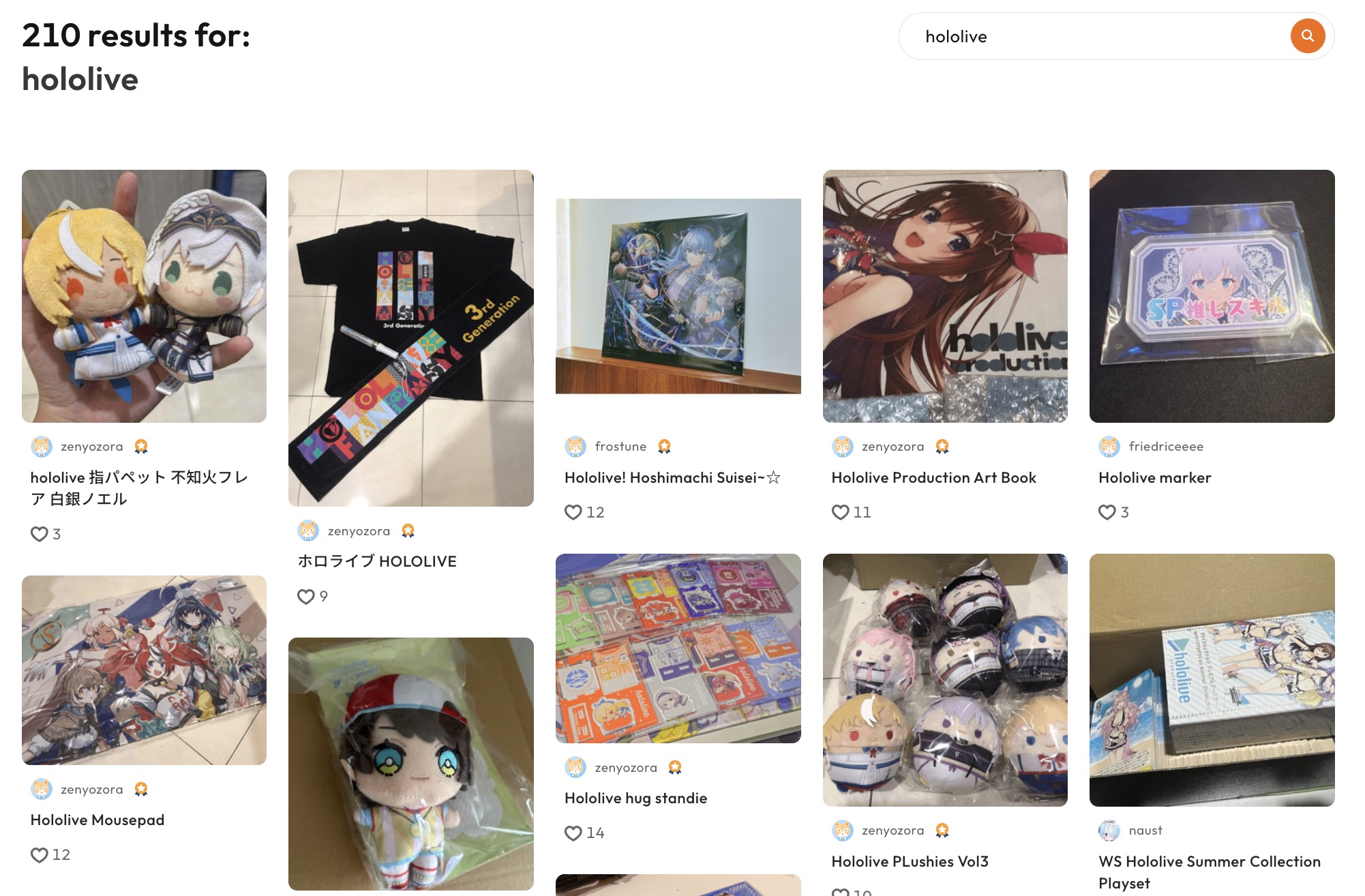
Many customers have shared their hololive shop haul through Buy&Ship! Our community is the perfect place to discover great deals and unboxings, helping you find the best products at the best prices.
IV. How to register and shop hololive Shop Japan?
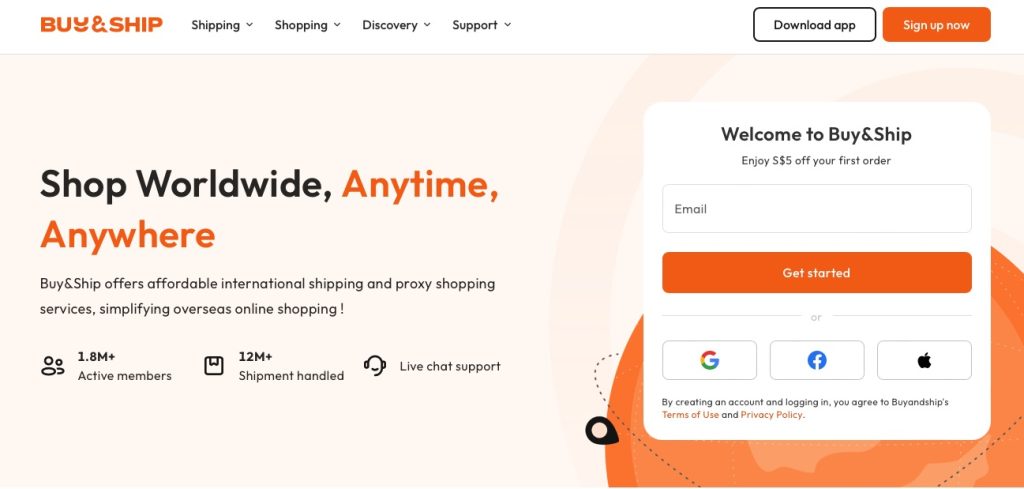
Step 1
Go to the Buy&Ship website, log in or register as a member, complete your profile and verify your phone and email.
Step 2
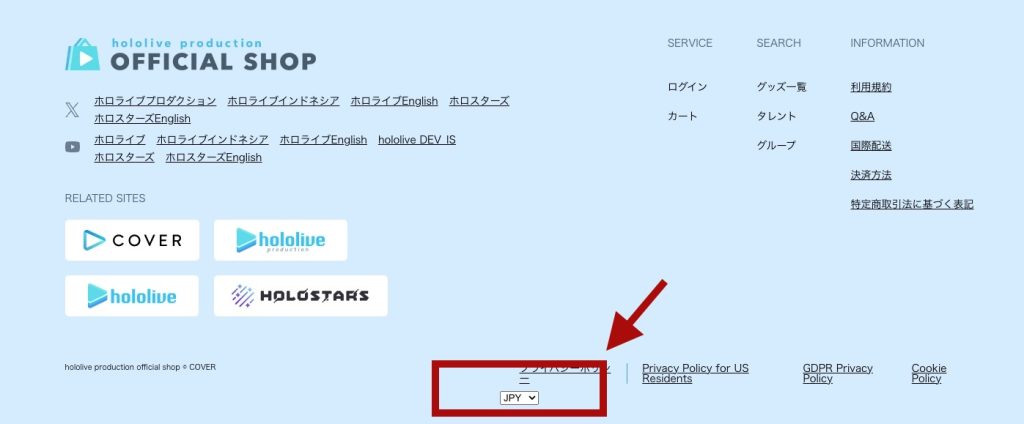
Go to the hololive production OFFICIAL SHOP website, scroll down to the bottom of the page, and set the country/region to Japan (JPY).
Step 3
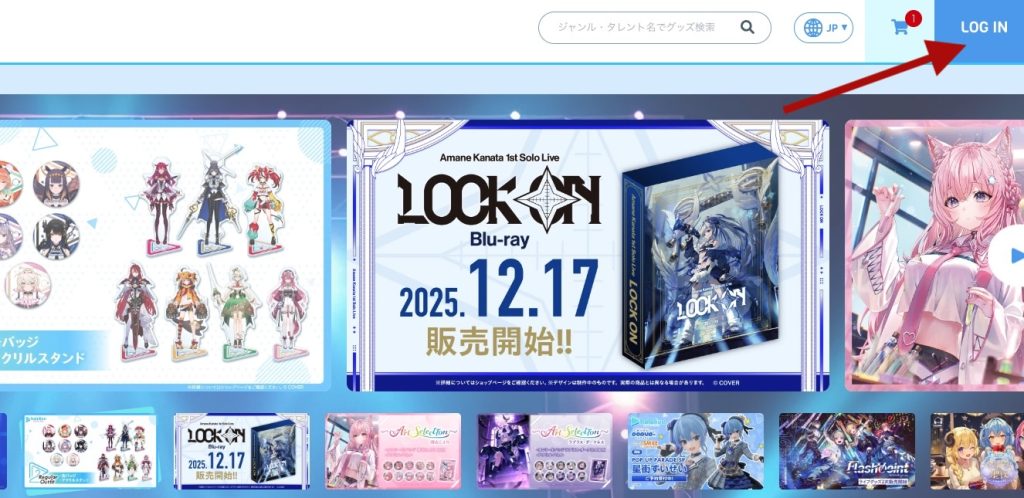
Click the ‘LOG IN’ button in the top-right corner to log in or register a new account.
Step 4
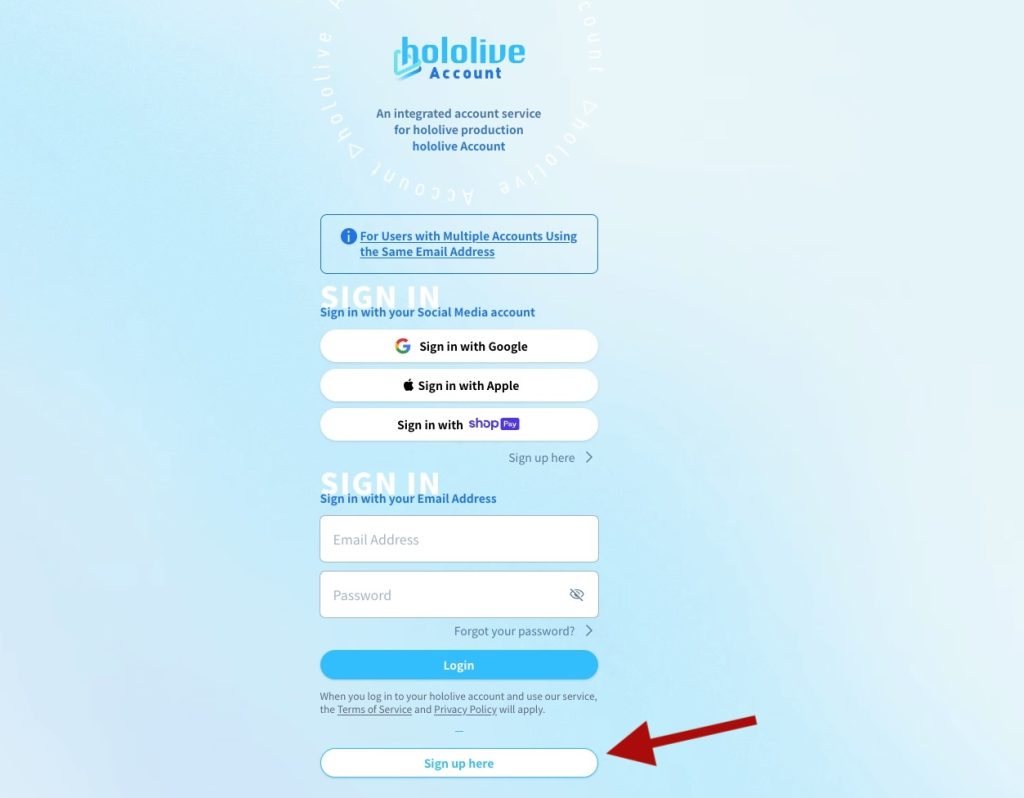
If you don’t have an account yet, click ‘Sign Up here’ to start the registration process.
Step 5
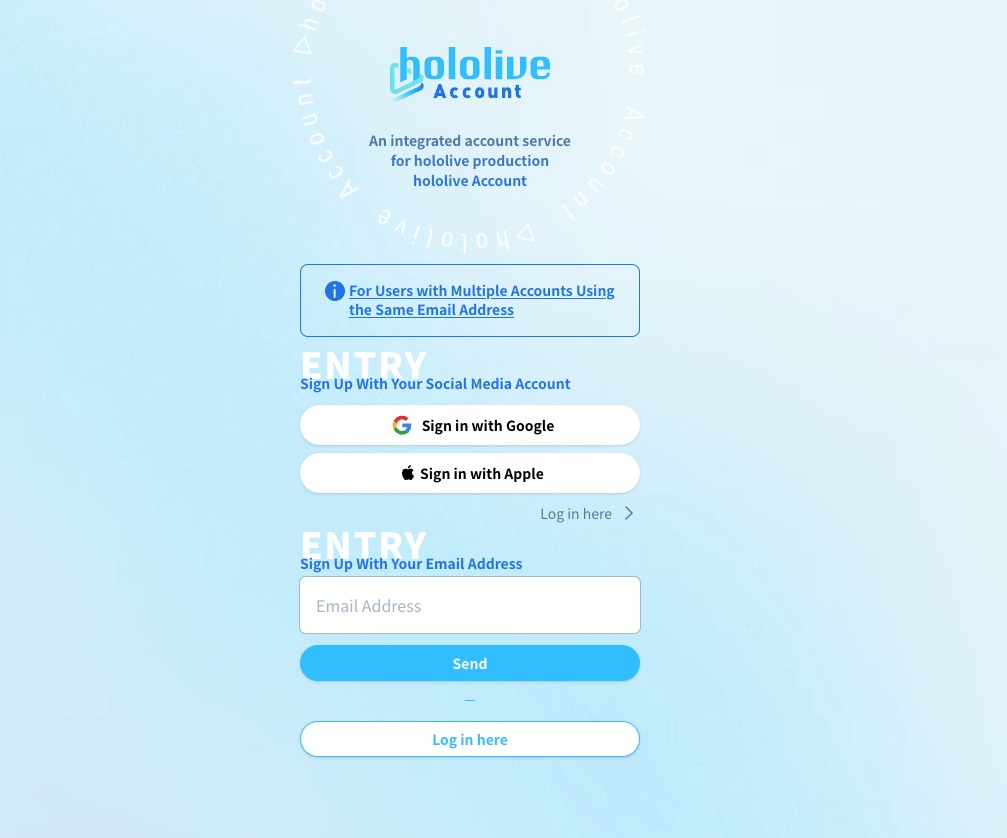
You can sign up using your Google or Apple account, or by entering your email address.
Step 6
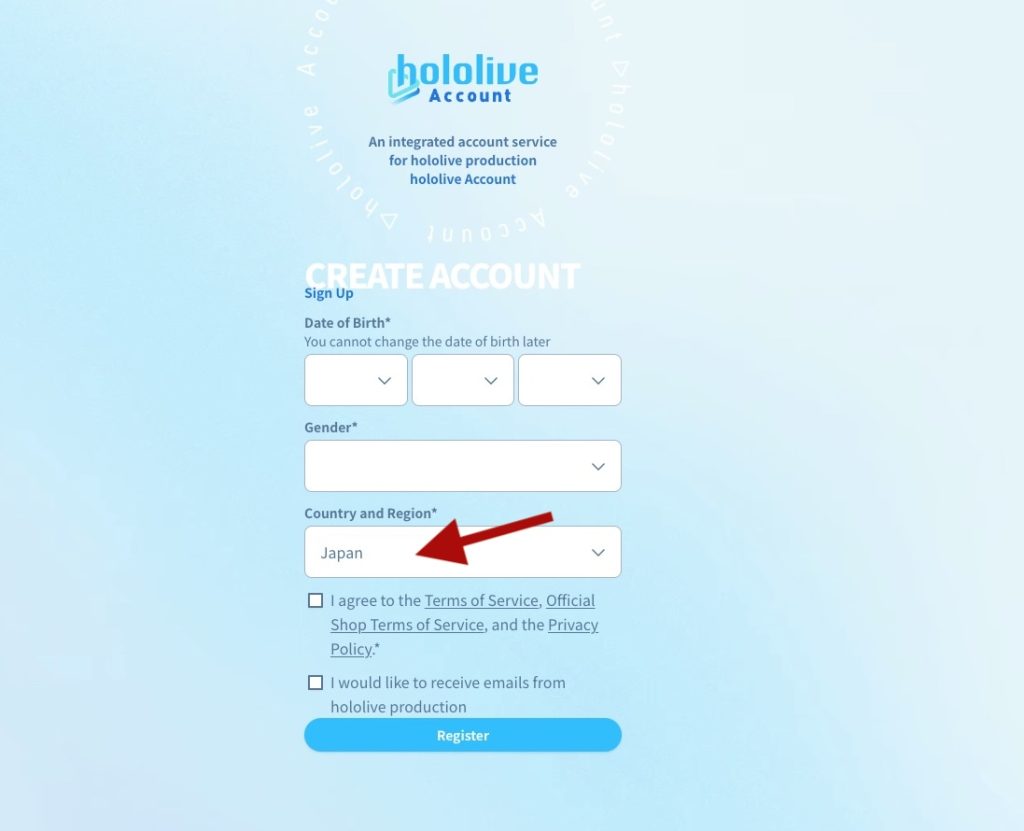
Select your date of birth and gender, then set the country/region to Japan.
Step 7
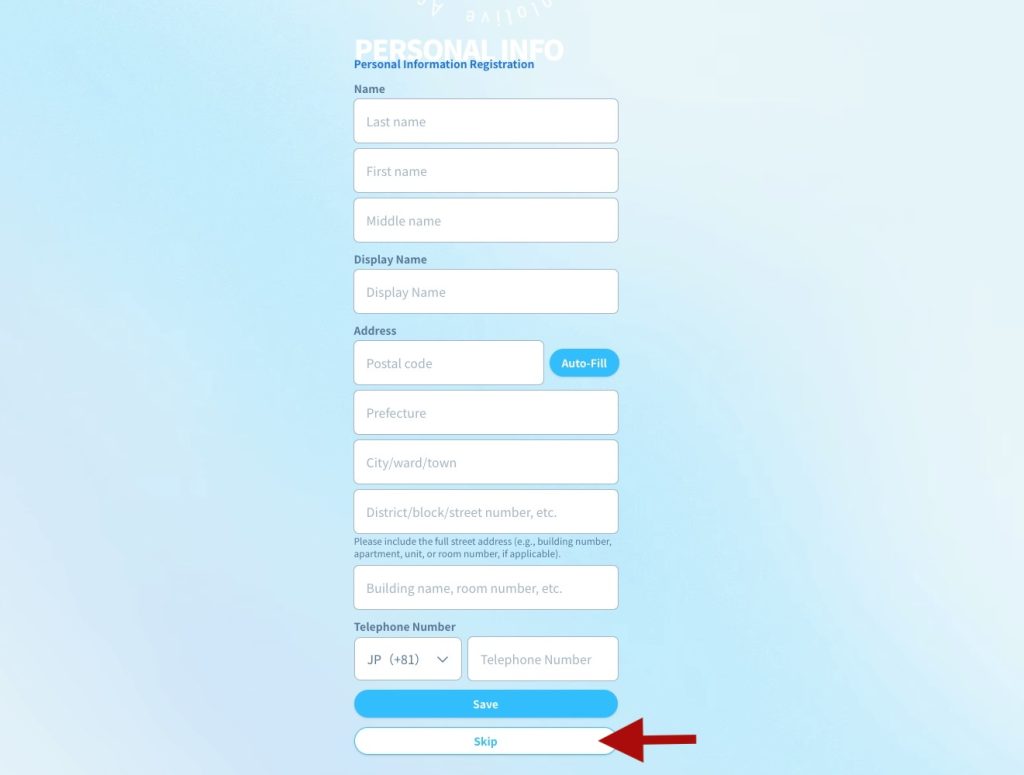
Click “Skip” to complete your registration.
Step 8
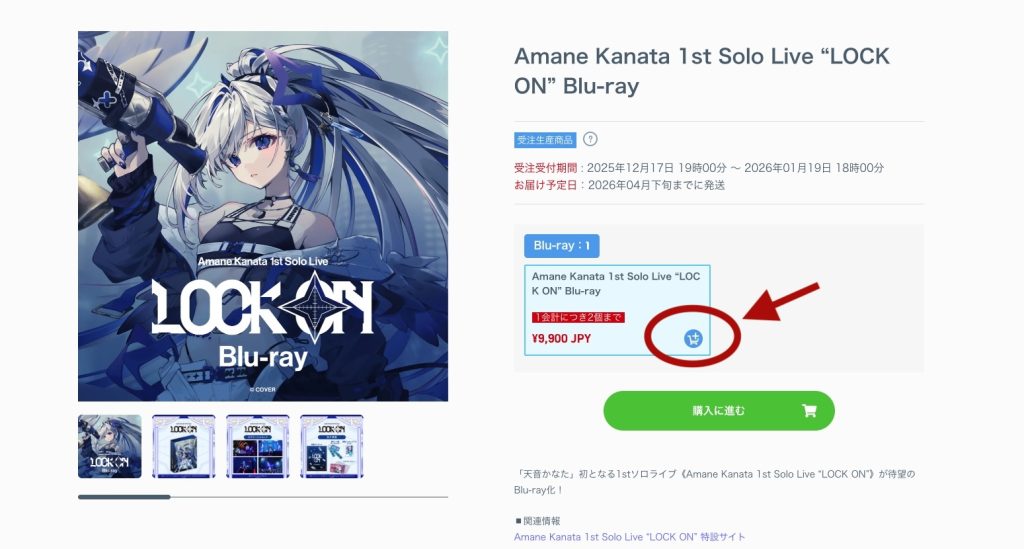
Return to the official site to browse and pick your favorite items. Once you’ve chosen a product, click the cart icon to add it to your shopping cart.

Step 9
Click the shopping cart icon in the top-right corner. After confirming your items are correct, click ‘購入に進む’ to start the checkout process.
Step 10
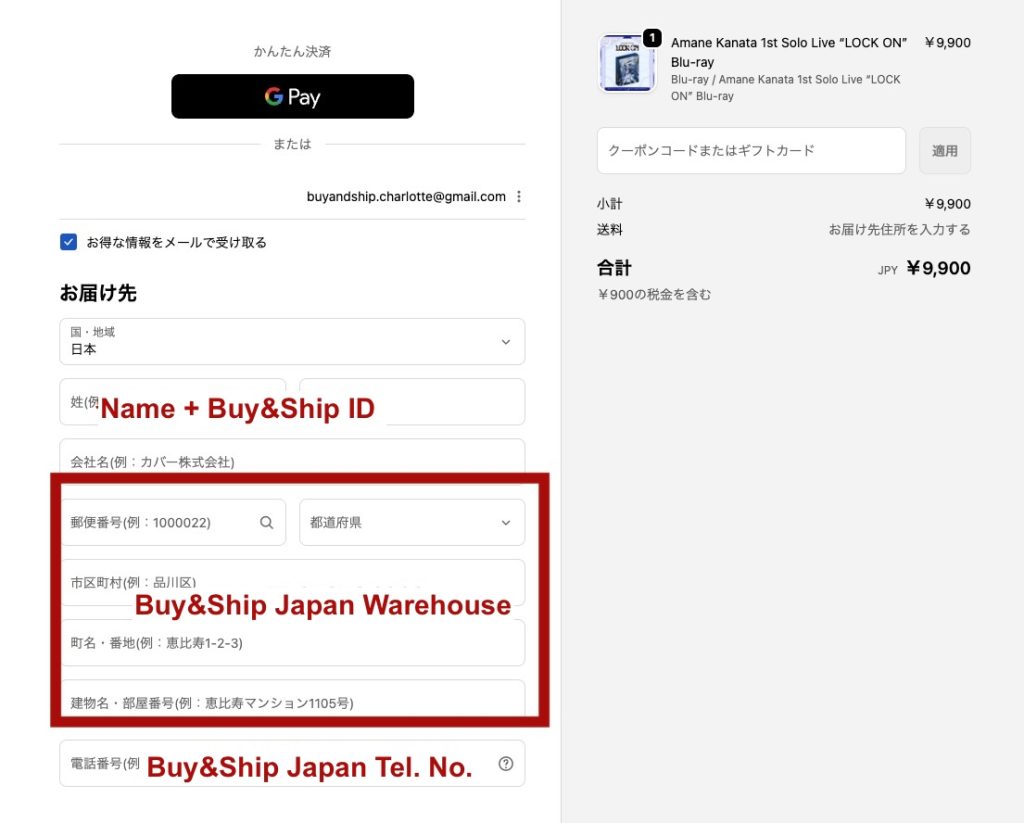
Enter your name (including your Buy&Ship member ID, e.g., PHXXXXXX). For the address section, open the ‘Overseas Warehouse Address‘ page on the Buy&Ship website and select ‘Japan’ to view the warehouse details, then save the address.

Step 11
Select your payment method (such as Credit Card or PayPal) and enter your payment details. Once you’ve confirmed that all information is correct, click the ‘注文確定’ button to complete your order.
Once your order has been shipped, return to the Buy&Ship website to declare your shipment with your tracking number.
V. How to Shop hololive Merch from Amazon JP?
Step 1
Go to the Buy&Ship website, log in or register as a member, complete your profile and verify your phone and email.
Step 2
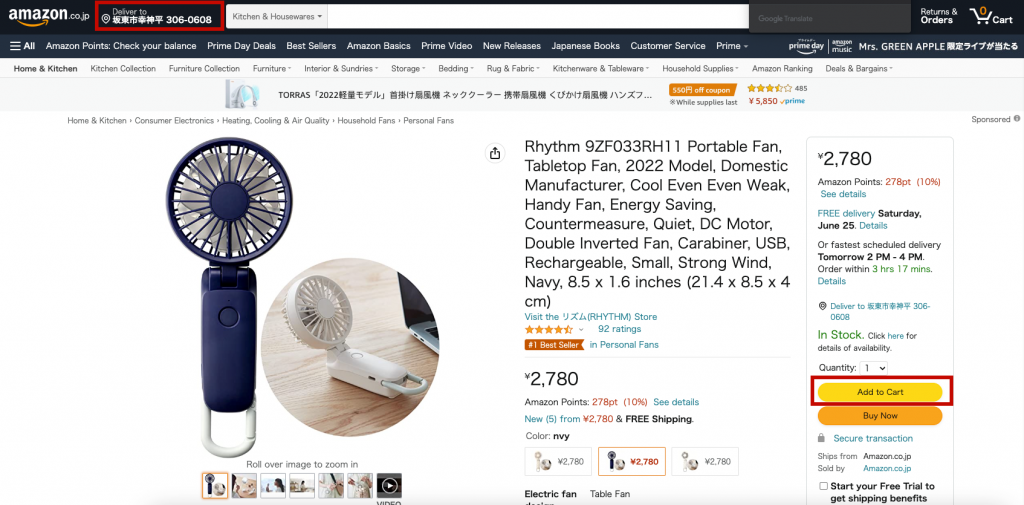
Go to Amazon JP, click on ‘Deliver to’ in the top-left corner and enter the Japan warehouse postal code. Then, pick your favorite items and add them to your shopping cart
Step 3
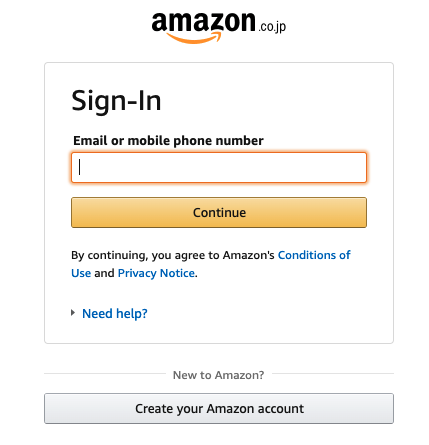
Sign in or register for an Amazon JP account.
Step 4
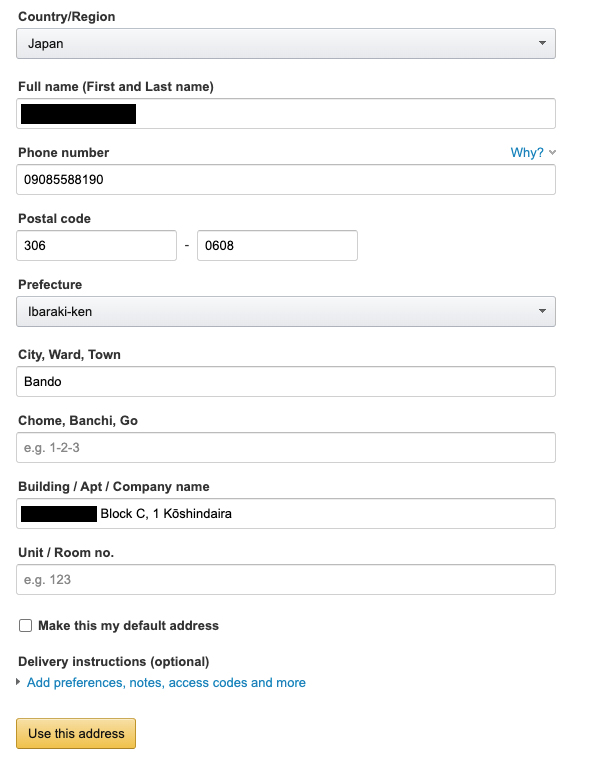
Enter your name (including your Buy&Ship member ID, e.g., PHXXXXXX). For the address section, open the ‘Overseas Warehouse Address‘ page on the Buy&Ship website and select ‘Japan’ to view the warehouse details, then save the address.
Step 5
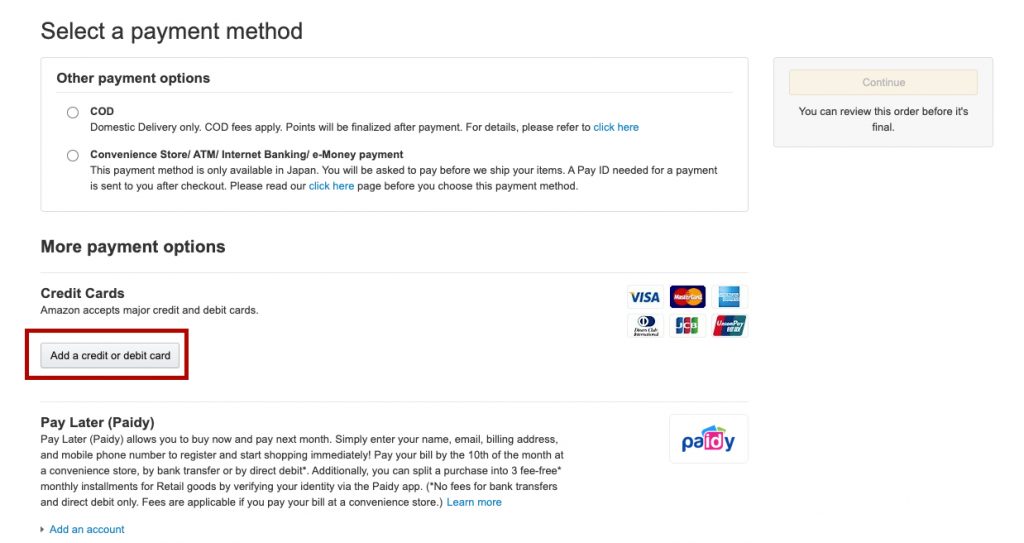
Once you reach the payment page, click ‘Add a credit or debit card’ and enter your card details to proceed with the payment.
Step 6
Review your order details, then click ‘Place your order’ to complete your purchase. You will receive an order confirmation email shortly after.
Once your order has been shipped, return to the Buy&Ship website to declare your shipment with your tracking number.