Vans is known for its iconic skate heritage and effortless street style—covering everything from classic sneakers to everyday apparel and accessories. For Filipino shoppers, buying directly from the Vans US website often means better deals, more color options, and wider size availability than local releases.
Right now, Vans US is offering an extra discount on selected sale styles (price as marked). In this post, we’ll highlight the key promo details, share handpicked sale finds, and walk you through how to ship from the US to the Philippines—so you can shop confidently even when stock moves fast.
If the Vans US website doesn’t ship to the Philippines or you run into payment/region restrictions, you can use Buy&Ship via Proxy Shopping (Buy&Ship helps purchase for you) or Package Consolidation (you purchase yourself and ship to a Buy&Ship overseas warehouse first).
Table of Contents
→ I. Vans Brand Overview
→ II. Handpicked Sale Items
→ III. Vans Online Shopping FAQs
→ IV. How to Buy Vans from Overseas & Ship to the Philippines
I. Vans Brand Overview
Vans started with skate shoes and has grown into a global streetwear staple. Beyond footwear, the brand offers easy-to-style apparel and practical accessories—great for daily wear, school, commuting, and travel with a clean, laid-back aesthetic.
Sale highlights: This promo features an extra discount on selected sale styles. It’s a great time to pick up high-rotation essentials like sneakers, sweatshirts, and backpacks. Sale sizes and stock can change quickly—so it’s smart to shortlist your preferred sizes/colors early, and consider shipping multiple items together to manage delivery costs more efficiently.

II. Handpicked Sale Items
Here are 5 handpicked Vans US sale items across kids’ shoes, adult sneakers, a backpack, and a sweatshirt. If you’re buying more than one piece, it’s recommended to plan your cart and ship items together to make delivery more efficient.
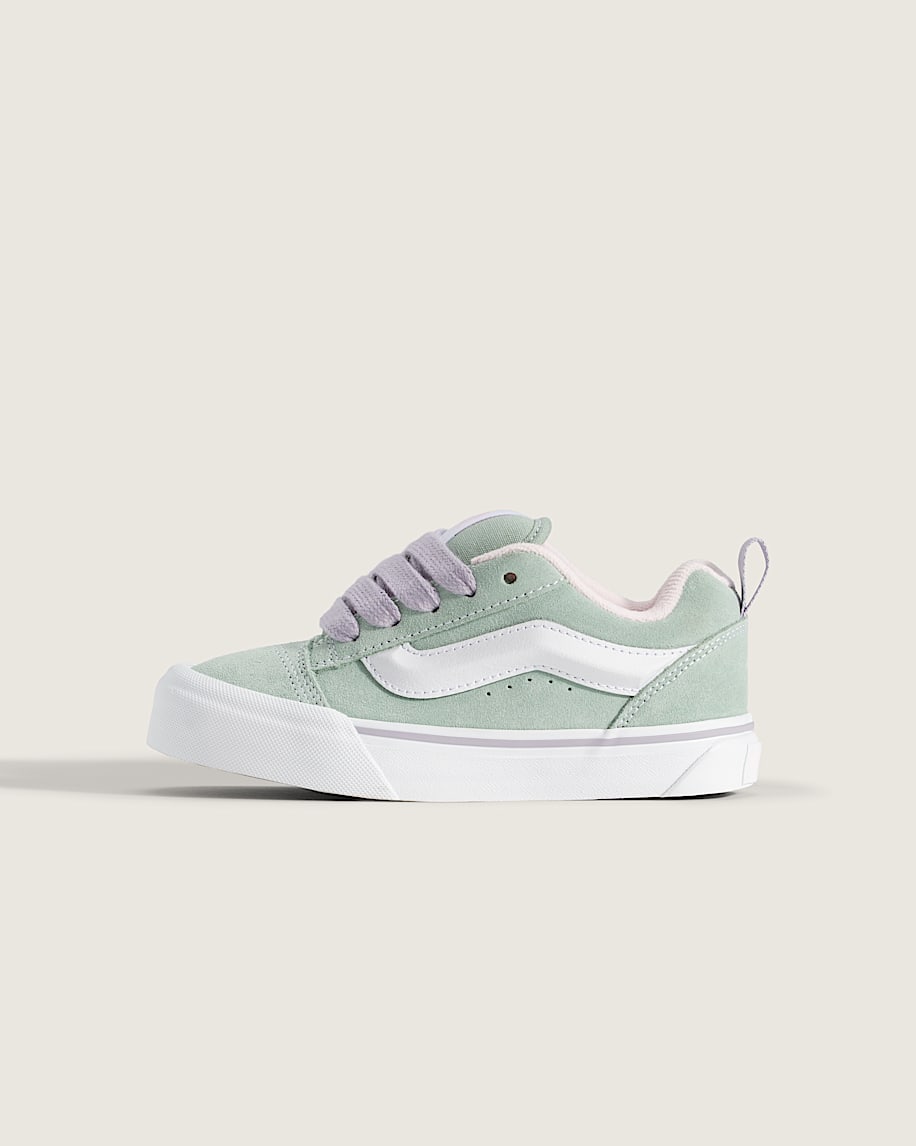
Vans – Little Kids Knu Skool Shoe
A chunky ‘90s-inspired silhouette in a kid-friendly fit—great for everyday school days and weekend outings. The padded collar adds comfort while still keeping that classic Vans attitude.
US sale: approx ₱1,246 (USD 20.97) (Final price shown on the official website; currency conversion is indicative.)
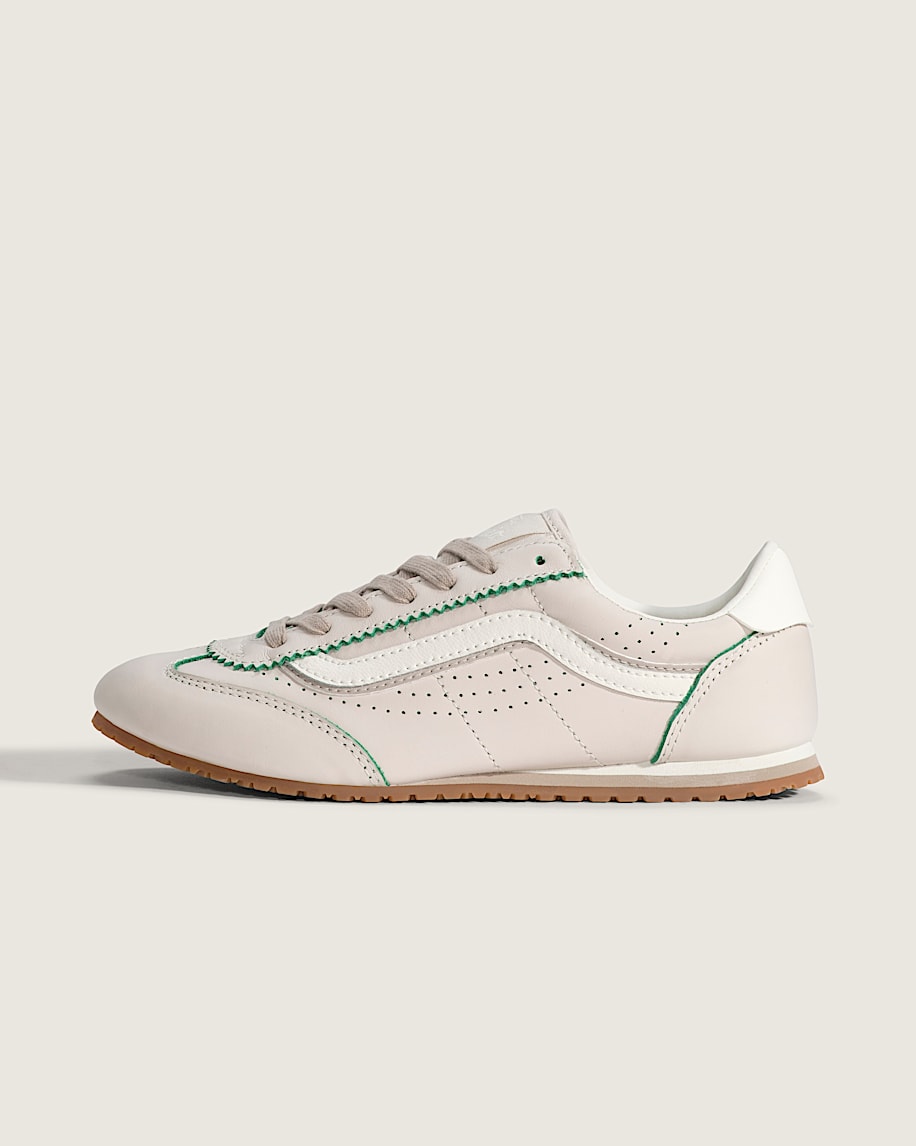
Vans – Super Lowpro Shoe
A sleek retro runner look with a lightweight feel—easy to wear for daily walking and commuting. Pairs well with denim or workwear for a clean street-ready outfit.
US sale: approx ₱4,155 (USD 69.95) (Final price shown on the official website; currency conversion is indicative.)
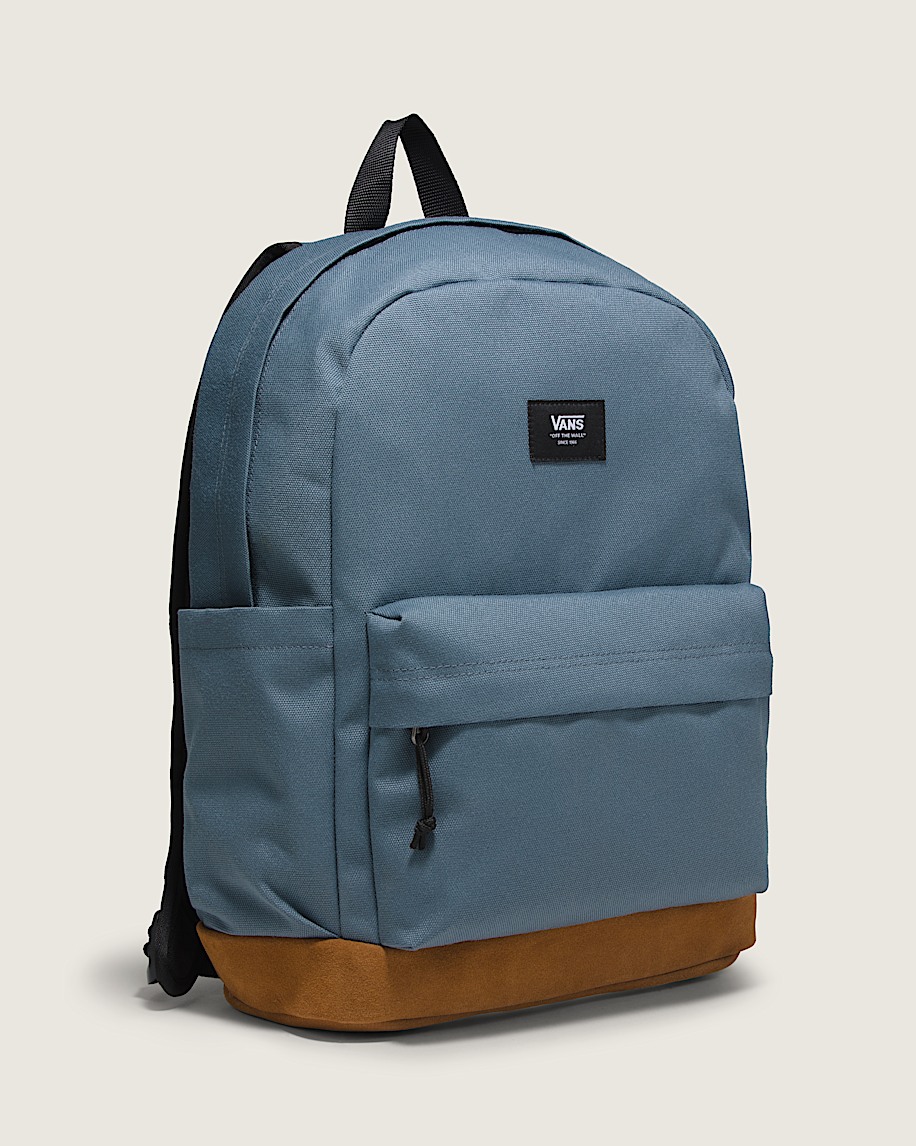
Vans – Old Skool Sport Backpack
A practical everyday backpack with a classic two-pocket layout and a laptop sleeve—ideal for school, work, or short trips. Simple, durable, and easy to match.
US sale: approx ₱1,424 (USD 23.97) (Final price shown on the official website; currency conversion is indicative.)

Vans – Vans 66 Crew Sweatshirt
A clean crewneck sweatshirt with subtle branding—great for cooler days, air-conditioned environments, and easy layering. A versatile staple for casual outfits.
US sale: approx ₱2,376 (USD 40.00) (Final price shown on the official website; currency conversion is indicative.)
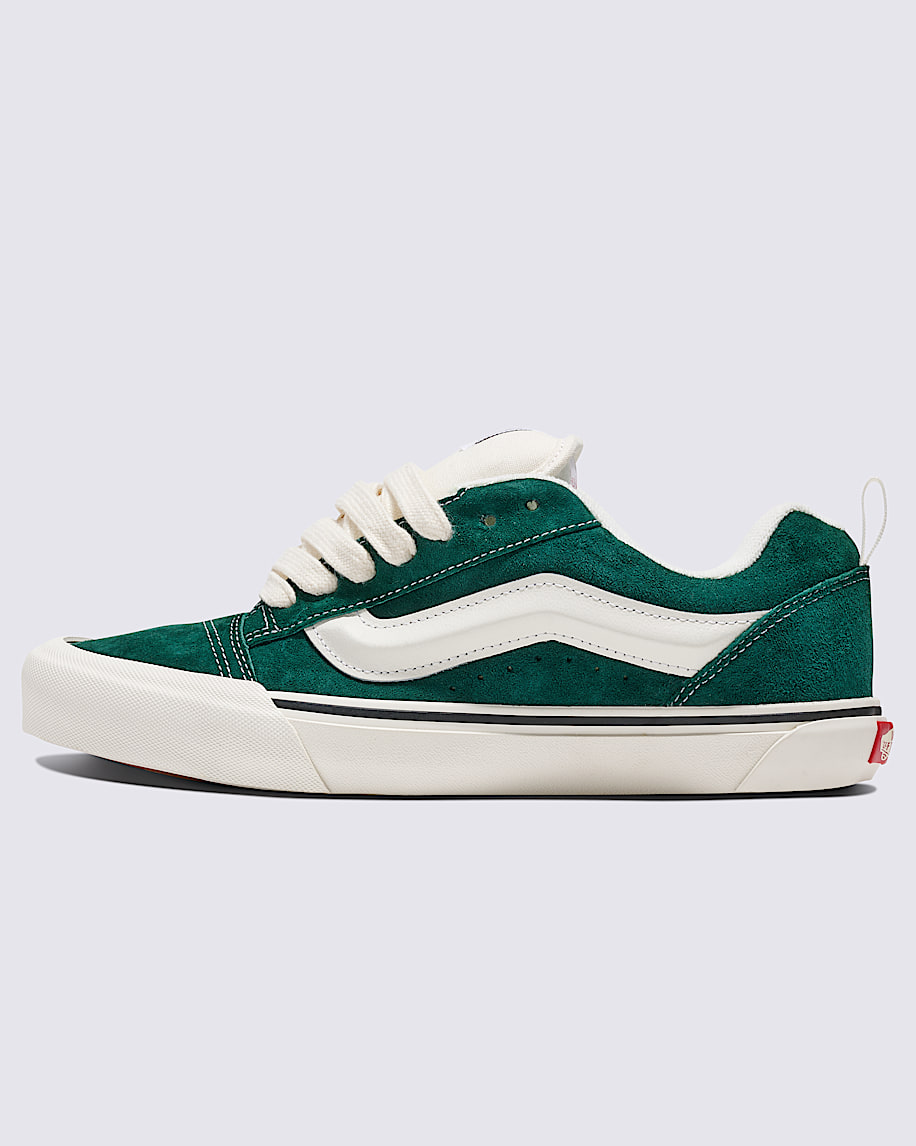
Vans – Knu Skool Shoe
A standout chunky skate look with thick laces and a padded tongue—perfect with wide-leg pants or sporty streetwear fits. Great as an everyday statement sneaker.
US sale: approx ₱2,314 (USD 38.97) (Final price shown on the official website; currency conversion is indicative.)
Note: Prices, sizes, stock availability, and discount levels may change without notice. Final details are subject to the official website. Product images are copyrighted by the respective brand/website.
III. Vans Online Shopping FAQs
1) How do I choose the right Vans size/fit?
Use your usual sneaker size as a baseline, and note that different materials (canvas vs. suede) can feel slightly different. If you prefer extra toe room or plan to wear thicker socks, consider leaving a little allowance. Checking the product page notes and customer reviews can also help reduce sizing risk.
2) What’s the best way to spot eligible “extra discount” items?
Start from the Vans US Sale section, then filter by category (shoes/apparel/accessories). The extra discount is typically reflected as “price as marked” on eligible items. Popular sizes and colorways may sell out quickly, so it’s worth adding your top picks to cart once you decide.
3) How can Filipino shoppers manage shipping costs more efficiently?
Shoes and apparel are often more straightforward to ship, but bulky boxes (like backpacks or multiple shoe boxes) can increase parcel volume. Planning your purchases in one go and shipping together helps you manage deliveries more easily and avoid scattered shipments.
4) What if my payment fails or the website restricts my region?
Some US websites restrict overseas cards, billing addresses, or IP regions. If checkout fails, you can use Buy&Ship Proxy Shopping so Buy&Ship can purchase on your behalf. If you can pay successfully yourself, use Package Consolidation by shipping your order to a Buy&Ship US warehouse first.
5) How do I track my parcel after ordering?
Whether you use Proxy Shopping or Consolidation, you can track parcel updates through the Buy&Ship app/website. For consolidation, once you receive the tracking number from the merchant, submitting a pre-alert helps speed up the warehouse receiving process and reduces delay risk.
Tip: Some US websites may have regional access limits. If the site doesn’t load properly in the Philippines or certain pages appear incomplete, try connecting to a VPN to view the full product pages.
IV. How to Buy Vans from Overseas & Ship to the Philippines
When shopping on the Vans US website, Filipino shoppers may face common barriers such as: the store not shipping to the Philippines, certain payment/billing restrictions, or high international shipping fees. If you want to secure US-only deals with a smoother shipping setup, Buy&Ship can help.
You can ship Vans purchases to the Philippines using two options with Buy&Ship: Proxy Shopping (Buy&Ship purchases for you) or Package Consolidation (you purchase and ship to a Buy&Ship overseas warehouse first).
- Proxy Shopping: Buy&Ship helps place the order and purchase, then ships your parcel to the Philippines
- Package Consolidation: You place the order yourself, ship to a Buy&Ship overseas warehouse, then consolidate and ship to the Philippines
✅ Buy&Ship Proxy Shopping Tutorial
(Best for: shoppers who prefer not to place overseas orders themselves and want Buy&Ship to assist with purchasing.)
Step 1: Submit a proxy request
- Go to the Buy&Ship Proxy Shopping page and fill in your item details, including:
- Product link
- Size/specs/color
- Quantity and notes (if any)
- After submitting, the system will display an estimated item amount and proxy service fee.
Step 2: Confirm the quote and pay
- Review the item details and fees, then complete payment.
- Buy&Ship will purchase the item based on the information you provided.
📌 You don’t need to enter an overseas warehouse address or communicate with the seller.
Step 3: Item delivery & warehouse receiving
- After the item ships, Buy&Ship will track the delivery status.
- Once the parcel arrives at the Buy&Ship overseas warehouse and is received, you will get a system notification.
Step 4: Consolidate (optional) & shipping calculation
- When parcels reach the sorting stage, you can choose:
- Ship as a single parcel
- Or consolidate with other parcels to manage shipments more efficiently
- The system will calculate the payable weight and shipping fee automatically.
Step 5: Pay shipping & receive your parcel (Home delivery)
- After confirming the shipping fee, complete payment and arrange:
- 🔸 Home delivery (Philippines)
- You can track parcel updates anytime via the Buy&Ship app or website.
✅ Buy&Ship Package Consolidation
(Best for: shoppers who can place orders on overseas websites by themselves.)
Step 1: Shop on the overseas website
- At checkout, use the Buy&Ship Overseas Warehouse Address as the shipping address
📌 How to get your address:
Log in to your Buy&Ship account → “My Account” → “Overseas Warehouse Address” → copy the full address details for the “US Warehouse”, including the required recipient name and phone number.
Step 2: Declare (pre-alert) your parcel in Buy&Ship
- Once you receive the shipping confirmation and tracking number
- Log in to Buy&Ship → “Pre-alert Parcel” → enter courier, tracking number, product category, etc.
✅ Pre-alerting helps speed up warehouse receiving and reduces delay/loss risk.
Step 3: Warehouse receiving & consolidation option
- After your parcel arrives at the selected overseas warehouse, you will receive a system notification
- When shipments reach the sorting stage, you can choose whether to consolidate multiple parcels (to manage shipments more efficiently)
- The system will calculate total weight and payable shipping automatically
Step 4: Pay & schedule home delivery (Philippines)
- After confirming the shipping fee, complete payment and arrange:
- 🔸 Home delivery (Philippines)
- Track delivery updates anytime via the Buy&Ship app or website