
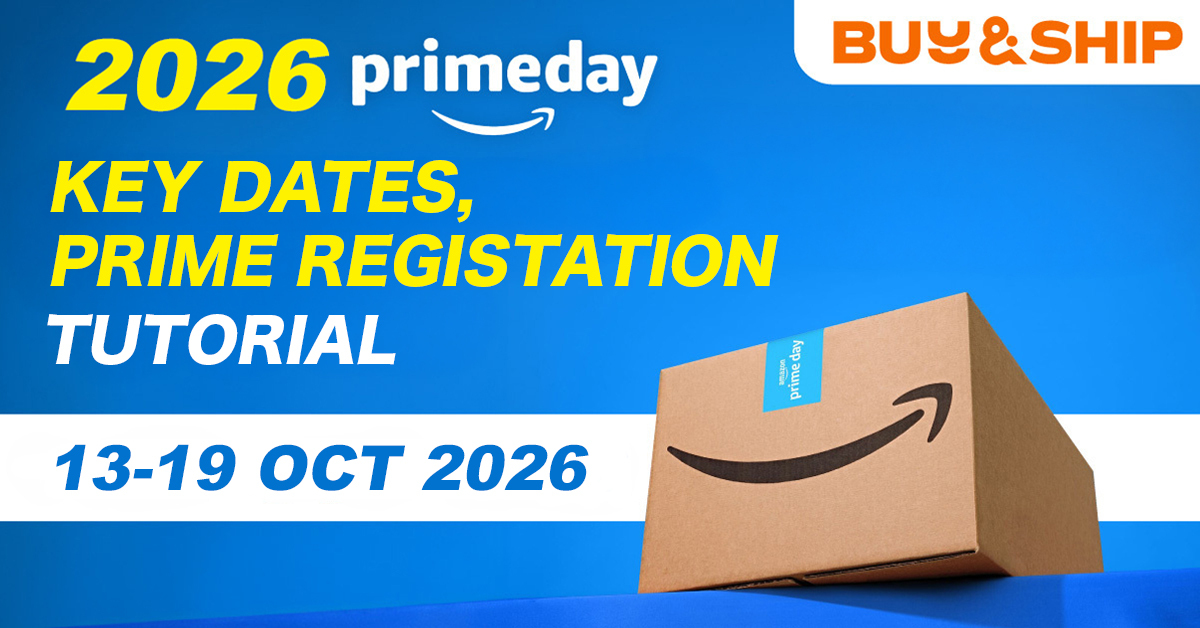
Amazon Japan’s Prime Appreciation Sale (プライム感謝祭) Runs Oct 13–19! Your the Philippines Shopping & Forwarding Guide
📌 TL;DR | Key Takeaways
・Japan dates: Amazon Japan’s Prime Appreciation Sale (プライム感謝祭) opens with an early sale on October 13–15, followed by the main event on October 16–19 – 7 days in total. In Philippine time that is October 12, 11:00 p.m. to October 19, 10:59 p.m.
・Point-Up Campaign: Registration is required. Spend ¥10,000 or more (tax included) between October 13 and 19 to earn up to 10,000 limited-time points.
・Scale: Amazon says there are over 4 million deals this year, up from more than 2 million last year.
・US/EU sites have ended: Amazon US, UK, Canada and Italy ran on October 6–7, and Amazon Australia ended on October 5.
・How to shop from the Philippines: Many Amazon Japan deals don’t ship to the Philippines, and when international shipping is offered, it is often expensive. With Buy&Ship’s parcel forwarding service, you buy at the local sale price and consolidate parcels from different countries into one shipment to the Philippines. Forwarding comes with a 3% shipping discount, and proxy orders with 2% OFF. No Prime membership? Place a proxy order instead.
Amazon Japan’s autumn Prime sale is here! The Prime Appreciation Sale (プライム感謝祭) runs on October 13–19: an early sale from October 13 for three days, then the main event from October 16 to 19, plus a Point-Up Campaign that requires registration in advance. Amazon US, UK, Canada and Italy finished their Prime Big Deal Days on October 6–7, and Amazon Japan is the place to pick up home appliances, beauty, cookware and popular Japanese brands ahead of the holiday season. Not every deal ships to the Philippines, though – the most reliable way to buy is Buy&Ship’s parcel forwarding or proxy shopping service: buy at the Japanese sale price, then consolidate and ship everything to the Philippines.
Table of Contents
→ Buy&Ship Japan Prime Big Deal Days Exclusive Offers
→ When Does Amazon Japan’s Prime Appreciation Sale Start? Dates & 5 Highlights
→ Amazon Japan Tutorial: Register, Activate & Cancel Prime
→ Amazon Japan Prime Appreciation Sale Schedule (PHT)
→ How to Cancel Amazon Prime
→ Prime Big Deal Days FAQ
→ Amazon Japan Shopping & Forwarding Tutorial (Beginner’s Guide)
→ Amazon Overseas Shopping & Forwarding Tips
→ Buy&Ship Prime Big Deal Days Offer Terms & Conditions
Buy&Ship Japan Prime Big Deal Days Exclusive Offers
During Amazon Japan’s Prime Appreciation Sale, Buy&Ship has exclusive forwarding and proxy shopping offers: register on the designated campaign page and ship your Amazon.jp items to get a 3% shipping discount with no minimum spend. Enter a promo code when you submit a proxy order for a discount too – new users get 50% OFF their first proxy order.
Exclusive Forwarding Offer for Amazon.jp (Oct 13–25)
| Prime Big Deal Days Exclusive Forwarding Offer 1 (Amazon.jp) | Offer Details |
|---|---|
| Category | 3% Shipping Discount (No Min. Spend) |
| Validity | 13 – 25 October 2026 |
| Target | All Buy&Ship members using the forwarding service (limited quota, first-come, first-served) |
| Details | Register on the designated campaign page and ship your Amazon.jp items during the campaign period to receive a 3% shipping discount with no minimum spend (discount capped at ₱55). |
| Conditions | During the campaign period, a single Amazon.jp forwarding shipment order must meet both of the following conditions: 1. The user registers on the designated campaign page to join this promotion 2. The declared shipment contains Amazon.jp products, with the relevant Amazon.jp product links provided at declaration. |
| Terms & Conditions | Each member can enjoy this offer once during the campaign period. For more details, see the Campaign Terms & Conditions. |
Exclusive Proxy Offer (Oct 15–31)
| Prime Big Deal Days Exclusive Proxy Offer 2 | Offer Details |
|---|---|
| Category | Proxy Service Discount |
| Validity | 15 Oct – 31 Oct 2026 |
| Target | All Buy&Ship proxy service members (limited quota, first-come, first-served) |
| Details | 1. No-minimum 2% OFF on proxy orders (Code: PH1026U98) 2. 50% OFF your first proxy order for new users (Code: PH1026UNEW) Each of the two codes is capped at ₱400; limit 1 use each per user. |
| Conditions | Enter the exclusive promo code when submitting your proxy order to get the corresponding discount instantly. |
| Terms & Conditions | Each of the two offers can be used once during the event period. For more details, see the Campaign Terms & Conditions. |
Exclusive Forwarding Offer for US/EU Amazon (Oct 5–17) – Ended
| Prime Big Deal Days Exclusive Forwarding Offer 3 (US/EU Amazon) [Ended] | Offer Details |
|---|---|
| Category | 3% Shipping Discount (No Min. Spend) |
| Validity | 5 – 17 October 2026 (This offer has ended and registration is closed) |
| Target | All Buy&Ship members using the forwarding service (limited quota, first-come, first-served) |
| Details | Register on the designated campaign page and ship your Amazon items during the campaign period to receive a 3% shipping discount with no minimum spend (discount capped at ₱55). |
| Conditions | During the campaign period, a single Amazon forwarding shipment order must meet both of the following conditions: 1. The user registers on the designated campaign page to join this promotion 2. The declared shipment contains Amazon products, with the relevant Amazon product links provided at declaration. |
| Terms & Conditions | Each member can enjoy this offer once during the campaign period. For more details, see the Campaign Terms & Conditions. |
When Does Amazon Japan’s Prime Appreciation Sale Start? Dates & 5 Highlights
Amazon Japan’s Prime Appreciation Sale (プライム感謝祭) runs with an early sale from Tuesday, October 13 to Thursday, October 15, 2026, and the main event from Friday, October 16 to Monday, October 19 – 7 days in total, as a Prime-member-exclusive sale ahead of the holiday shopping season.
Here are 5 highlights and shopping tips for Amazon Japan:
Highlight 1 | Early Sale Plus Main Event: 7 Days in Total
Amazon Japan’s sale has two stages: the early sale starts at 12:00 a.m. JST on October 13 and ends at 11:59 p.m. on October 15, and the main event runs from 12:00 a.m. on October 16 to 11:59 p.m. on October 19. The early sale also counts toward the Point-Up Campaign’s shopping period, so there’s no need to wait for the main event to order. As for the other sites, Amazon US, UK, Canada and Italy ended on October 6–7, and Amazon Australia ended on October 5.
Highlight 2 | Dates & Times: Starts 11:00 p.m. PHT on October 12
Japan is one hour ahead of Philippine time, so the early sale runs from PHT October 12, 11:00 p.m. to October 15, 10:59 p.m., and the main event from PHT October 15, 11:00 p.m. to October 19, 10:59 p.m. During the main event, Amazon runs its Selected Daily Deals (厳選日替わりセール), with items changing at 12:00 noon JST (11:00 a.m. PHT). Items can sell out at any time, so add them to your cart in advance and be ready on time.
Highlight 3 | Over 4 Million Deals, with a Focus on Autumn Cooking and Beauty
Amazon says this year’s event has over 4 million deals, up from more than 2 million last year, covering autumn living, popular brands and Amazon.co.jp exclusives. Themed events include the Autumn Cooking Festival (cookware, kitchen appliances and food) and the Autumn Beauty Festival (skincare and cosmetics), with holiday kit pre-orders from brands such as KANEBO and La Roche-Posay – a good way to get your holiday gifts sorted early.
Highlight 4 | Selected Daily Deals: BRAUN, Dyson, Bose and More at This Year’s Lowest Prices
The daily deals that change at noon during the main event feature popular brands across many categories, including BRAUN, Dyson and Bose, at this year’s lowest prices (Amazon compares against Amazon.co.jp prices since January 1, 2026). Prices and stock are subject to the Amazon page on the day.
Highlight 5 | Point-Up Campaign: Register First, Up to 10,000 Points
The Point-Up Campaign (ポイントアップキャンペーン) requires you to register first: registration runs from September 24, 2026, 2:00 p.m. to October 19, 11:59 p.m. (JST), and the shopping period is October 13, 12:00 a.m. to October 19, 11:59 p.m. Spend a total of ¥10,000 or more (tax included) during the shopping period to earn extra Amazon points depending on how far you get, capped at 10,000 points (limited-time points). Some items, such as Apple products, are excluded. Prime members get a higher point rate, and Amazon Mastercard holders earn extra points. Everyone who registers and spends ¥10,000 or more is automatically entered into a draw for up to 100,000 points. Amazon hasn’t announced a maximum overall rate – please check the Amazon.co.jp campaign page for the full terms.
Amazon Japan Tutorial: Register, Activate & Cancel Prime
- Register: Create an Amazon Japan (amazon.co.jp) account, and register for the Point-Up Campaign before you shop.
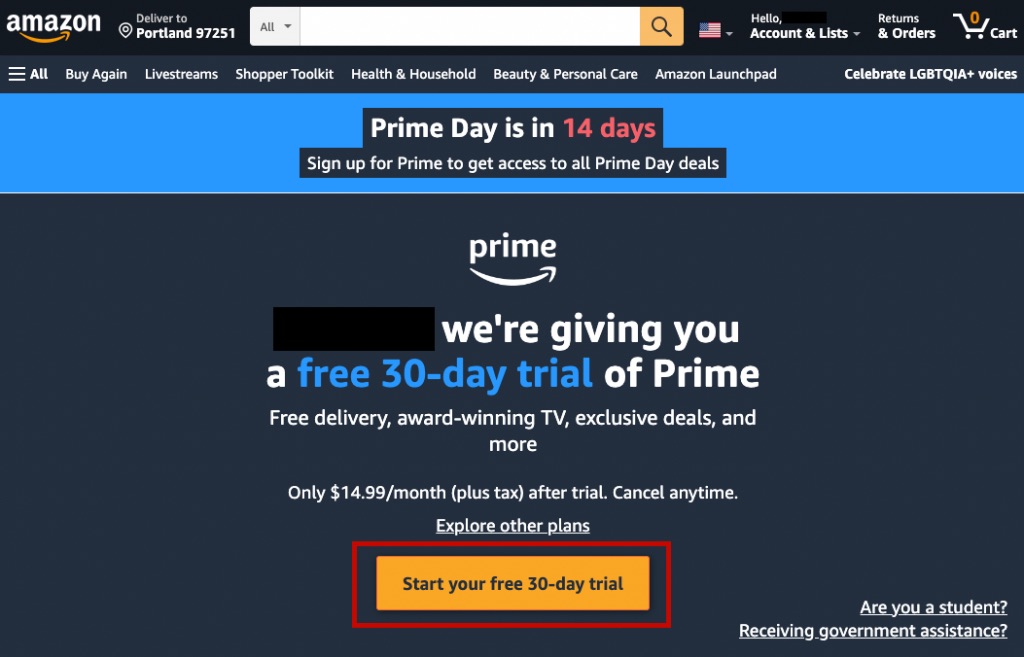
- Activate Prime: Start a 30-day free trial or a paid membership to unlock the Prime member discounts.
- Cancel when done: Cancel from your account settings before the trial ends to avoid auto-renewal.
1. Register – Create an Amazon Japan Account (see schedule)
Amazon Japan’s membership system is separate from Amazon US, UK and other sites, so you need to create an account with a new email address (or the same email as your US account, but going through the full sign-up process on the Japan site).
When checking out, use the Japan warehouse address and phone number under “Overseas Warehouse Addresses“.
2. Activate Prime Membership
Amazon Japan offers a 30-day free trial of Prime. Besides the sale discounts, members get local free shipping, Prime Video and other benefits. After the trial, Prime costs ¥600 a month or ¥5,900 a year; students with valid student status can apply for Prime Student, with a free trial of up to 6 months.
3. Cancel Prime Membership
If you don’t cancel before the trial ends, Amazon will automatically charge the membership fee to your credit card! Remember to cancel from your Amazon account settings before the deadline.
Amazon Japan Prime Appreciation Sale Schedule (PHT)
| Item | Philippine time (Amazon Japan, Oct 2026) |
|---|---|
| Early sale | Oct 12 23:00 – Oct 15 22:59 (JST: Oct 13 00:00 – Oct 15 23:59) |
| Main event | Oct 15 23:00 – Oct 19 22:59 (JST: Oct 16 00:00 – Oct 19 23:59) |
| Point-Up Campaign: registration | Sep 24 13:00 – Oct 19 22:59 (JST: Sep 24 14:00 – Oct 19 23:59) |
| Point-Up Campaign: shopping period | Oct 12 23:00 – Oct 19 22:59 (JST: Oct 13 00:00 – Oct 19 23:59) |
| New daily deals (main event) | Every day at 11:00 (JST 12:00) |
※ Amazon US, UK, Canada and Italy ran Prime Big Deal Days on October 6–7, and Amazon Australia ended on October 5.
Amazon Japan (Prime Appreciation Sale プライム感謝祭)
◆ Early sale: PHT Oct 12 23:00 – Oct 15 22:59
◆ Main event: PHT Oct 15 23:00 – Oct 19 22:59
How to Cancel Amazon Prime
Here’s how to do it on Amazon US (the steps are similar on other sites, though button labels may differ slightly):
Step 1: Log in to your Amazon account, click “Account & Lists” at the top right, go to the “Prime Membership” page and click “End Trial and Benefits” (“End Membership” for paid members).
Step 2: Amazon will try to keep you several times – just keep clicking “End My Benefits”.
Step 3: Click “Continue to Cancel”.
Step 4: When you’re asked again to keep your membership, click “Cancel Membership”.
Step 5: If another retention screen appears, confirm by clicking “Continue to Cancel”.
Step 6: Once cancelled, your Prime benefits last until the end date one month after you started your membership (or free trial), shown in the red box on screen. You can keep using all Prime benefits until then.
Before You Cancel (Extra Notes)
- Cancel button path (desktop): Account & Lists → Prime Membership → Manage Membership → Update, cancel and more → End Membership. The button is usually tucked away in several menus – scroll to the bottom of each page before confirming.
- Mobile app path: Open the Amazon app → tap the “Profile” icon at the bottom → Your Account → Account Settings → Prime Membership → Manage Membership.
- Set a reminder for your free trial: You won’t be charged as long as you cancel before the 30-day free trial ends. Set a reminder on your phone as soon as you sign up.
- Refund policy: Paid members who haven’t used any Prime benefits can get a full refund for the current period, which Amazon usually processes within 3 to 5 working days. Monthly members who have used Prime benefits (such as free shipping or Prime Video) usually won’t get a refund for that month, and their membership stays active until the end of the billing cycle. Visit Amazon
- Signed up through a third party: If your Prime membership was activated through a telecom provider or another partner account, you need to contact that provider to cancel – it can’t be ended directly on Amazon.
Prime Big Deal Days FAQ
Q1: How is Prime Big Deal Days different from July’s Prime Day?
Both are Prime-member-exclusive shopping events. Prime Day takes place every July, while Prime Big Deal Days runs in October as another big sale ahead of the holiday shopping season – which is why it’s also known as “October Prime Day”. Amazon Japan’s autumn event is called the Prime Appreciation Sale (プライム感謝祭).
Q2: Can I join if I’m not a Prime member?
You need a Prime membership to join. We recommend signing up for the 30-day free trial to enjoy all the deals during the event. Remember to cancel before the trial ends to avoid the membership fee.
Q3: Do free trial members get the full deals?
Yes. Prime free trial members get exactly the same event deals as paid members. As long as your 30-day free trial is active during the event, you can shop every Prime-exclusive discount.
Q4: Why are Amazon Japan’s dates different from the US?
Amazon says event dates may vary by country. This year, Amazon US, UK, Canada, Italy and other sites ran on October 6–7 and Amazon Australia on September 29 to October 5, while Amazon Japan’s Prime Appreciation Sale runs on October 13–19 (including the early sale). Always check each site’s event page for the official times before you order.
Q5: Which Amazon sites can Buy&Ship forward to the Philippines?
Buy&Ship supports several major Amazon sites, including the US, the UK, Japan, Canada, Australia and Italy.
Q6: Do I need to register for Amazon Japan’s Point-Up Campaign?
Yes. You need to register between September 24, 2:00 p.m. and October 19, 11:59 p.m. (JST), then spend a total of ¥10,000 or more (tax included) during the shopping period of October 13–19 to earn extra points, capped at 10,000 limited-time points. Some items, such as Apple products, are excluded. Please check the Amazon.co.jp campaign page for the full terms.
Amazon Japan Shopping & Forwarding Tutorial (Beginner’s Guide)
Many Amazon Japan deals don’t ship to the Philippines, or charge very high international shipping fees. With Buy&Ship’s overseas warehouse addresses, you can easily forward your deals to the Philippines:
✅ Use Buy&Ship’s Parcel Forwarding Service
(Best for: shoppers who want the most flexibility and the biggest discounts)
Step 1: Shop on Amazon
- Sign up for Amazon Japan (we recommend the 30-day Prime free trial) and add deal items to your cart.
- At checkout, enter the Buy&Ship Japan warehouse address as your shipping address.
📌 How to get the address:
Log in to Buy&Ship → “My Account” → “Overseas Warehouse Addresses” → copy the warehouse address, your exclusive User ID and the phone number.
📌 Shopping on Amazon US? See our Amazon US delivery setup guide to set your delivery instructions so your parcels reach the Buy&Ship US warehouse smoothly.
Step 2: Declare Your Parcel on Buy&Ship
- Once you receive Amazon’s Shipping Confirmation and Tracking Number,
- log in to Buy&Ship → click “Declare Parcel” → enter the courier, tracking number, item category and value accurately.
- If you registered for the forwarding offer, provide the Amazon.jp product links when you declare the parcel, so that you can receive the shipping discount.
✅ Declaring in advance speeds up warehouse processing and keeps your parcel from becoming unidentified or delayed.
Step 3: Warehouse Arrival & Consolidation
- You’ll get an email and a system notification when your parcel arrives at the overseas warehouse.
- Once your parcels reach the Hong Kong sorting centre, you can consolidate items bought from different countries and stores into one shipment to save on shipping.
- The system automatically calculates the total weight and shipping fee.
Step 4: Payment & Delivery
- Once you’ve paid the shipping fee, choose how to receive your parcel:
- 🔸 Home delivery
- Track your parcel anytime on the Buy&Ship app or website while you wait for your haul!
✅ No Prime Membership? Use Buy&Ship’s Proxy Shopping Service
(Best for: shoppers without Amazon Prime who want a hassle-free way to order; Amazon proxy shopping is available for the US, UK, Canada and Japan sites only)
Step 1: Find Your Deals & Submit a Proxy Request
Find the deals you want on Amazon Japan, copy the product page link, then go to Buy&Ship’s proxy shopping page and fill in:
- Product link
- Specs / colour / size
- Quantity and notes (if any)
💡 Tip: Deals end fast and items can sell out at any time, so submit your proxy order as soon as you’ve picked your items!
Step 2: Confirm the Quote & Pay
- After you submit, the system shows the estimated item cost and proxy service fee. Check the details and fees, then complete payment.
- Buy&Ship will use its own Prime account to buy the items for you at the event price.
- Enter your proxy promo code (PH1026U98 or PH1026UNEW) when you submit the order to get the discount instantly.
📌 You don’t need your own Amazon Prime membership, and you don’t have to worry about overseas addresses or credit cards being declined.
Step 3: Item Dispatch & Warehouse Arrival
- Once Amazon ships your item, Buy&Ship tracks the local delivery for you.
- When your parcel arrives at the Buy&Ship overseas warehouse and is checked in, you’ll get an app notification and an email.
Step 4: Choose Consolidation & Delivery
- Once your Amazon items reach the Hong Kong sorting centre, you can ship them on their own or consolidate them with other overseas parcels (highly recommended – it can save a lot on international shipping).
- The system automatically calculates the actual weight and shipping fee.
Step 5: Payment & Delivery
- Once you’ve paid the shipping fee, choose how to receive your parcel:
- 🔸 Home delivery
- Track your parcel anytime on the Buy&Ship app or website while you wait for your haul!
Amazon Overseas Shopping & Forwarding Tips
What should you look out for when shopping on overseas Amazon sites, and how do you check out smoothly during Amazon Japan’s Prime Appreciation Sale? Keep these in mind:
1. Each site has its own account:
Amazon Japan accounts are separate from Amazon US, UK and other sites. Register a new Japan account – don’t try to log in with your US or UK account, or you’ll get an incorrect password error.
2. Use Katakana for your name on Amazon Japan:
If the Japan address form asks for a phonetic reading (フリガナ), use an online Katakana converter to convert your name and fill it in.
3. US Amazon/eBay warehouse is relocating:
Buy&Ship’s dedicated US Amazon/eBay warehouse is moving. The old address will receive its last parcels on October 30, 2026, and parcels delivered to the old address after that cannot be processed. If you are also buying from Amazon US, check the latest address under “Overseas Warehouse Addresses” before you order, and update the shipping address in your Amazon account too.
4. Credit card tips:
Where possible, pay with a credit card that supports two-step verification, including but not limited to CVV/SMS codes. Some Philippine-issued credit cards may be declined by overseas sites, so keep one or two cards from different banks as backup.
5. Register for the Point-Up Campaign first:
Amazon Japan’s Point-Up Campaign requires registration before you shop, and you need to spend a total of ¥10,000 or more (tax included) during the shopping period to earn extra points. Register on the Amazon.co.jp campaign page before the shopping period starts on October 13.
Buy&Ship Prime Big Deal Days Offer Terms & Conditions
Terms & Conditions for the Prime Big Deal Days 3% Shipping Discount (Amazon.jp, Oct 13–25):
- This campaign is only applicable to promotion participants who successfully registered via the designated webpage and declared a shipment containing Amazon.jp products (with valid Amazon.jp links provided).
- The earned shipping coupon will be automatically credited to eligible users’ Buy&Ship accounts within 3 working days after the respective Amazon.jp shipment is declared (with valid Amazon.jp links provided). The maximum discount amount per shipping coupon is ₱55.
- The campaign quota is limited, on a first-come, first-served basis.
- Each registered Buy&Ship user can enjoy this offer only once during the campaign period.
- This offer cannot be used in conjunction with other shipping discounts or promotional coupons. Only one promo code can be applied per forwarding order.
- This campaign code is not applicable to shipments of ‘Direct’ shipment type.
- This offer cannot be used to deduct the fuel surcharge.
- In the event of any dispute, Buy&Ship reserves the right of final decision. Buy&Ship also reserves the right to amend the content, terms and conditions of this campaign at any time without prior notice.
“Exclusive Proxy Offer” Promotion (Oct 15–31):
- This offer applies to proxy orders submitted via the Buy&Ship proxy shopping service during the promotion period with the corresponding promo code entered successfully.
- “No-minimum 2% OFF on proxy orders” (Code: PH1026U98) has no minimum order requirement and is capped at ₱400; limited to 1 use per member during the promotion period.
- “50% OFF your first proxy order for new users” (Code: PH1026UNEW) is capped at ₱400; limited to 1 use per member during the promotion period.
- The discount will be applied instantly upon submitting the proxy order with a valid promo code.
- Only one promo code may be used per proxy order; proxy offers cannot be stacked with other proxy discounts or coupons.
- Discounts are non-redeemable for cash and non-transferable to other member accounts.
- In case of any dispute, Buy&Ship reserves the right of final decision and may amend the terms and conditions of this promotion without prior notice.
Terms & Conditions for the Prime Big Deal Days 3% Shipping Discount (US/EU Amazon, Oct 5–17, ended):
- This campaign is only applicable to promotion participants who successfully registered via the designated webpage and declared a shipment containing Amazon products (with valid Amazon links provided).
- The earned shipping coupon will be automatically credited to eligible users’ Buy&Ship accounts within 3 working days after the respective Amazon shipment is declared (with valid Amazon links provided). The maximum discount amount per shipping coupon is ₱55.
- The campaign quota is limited, on a first-come, first-served basis.
- Each registered Buy&Ship user can enjoy this offer only once during the campaign period.
- This offer cannot be used in conjunction with other shipping discounts or promotional coupons. Only one promo code can be applied per forwarding order.
- This campaign code is not applicable to shipments of ‘Direct’ shipment type.
- This offer cannot be used to deduct the fuel surcharge.
- In the event of any dispute, Buy&Ship reserves the right of final decision. Buy&Ship also reserves the right to amend the content, terms and conditions of this campaign at any time without prior notice.