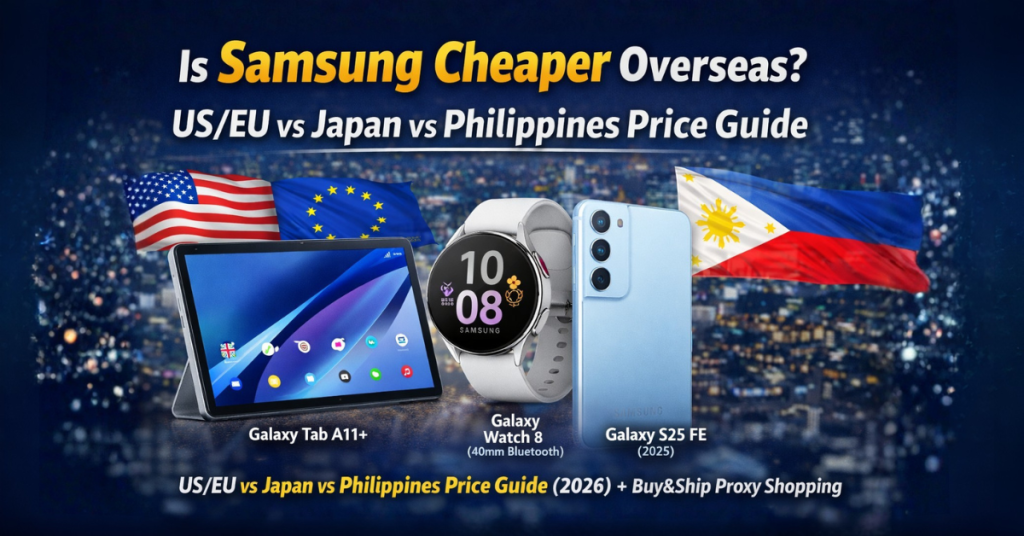
If you’re a Filipino shopper who loves Samsung gadgets, here’s the truth: some Samsung devices can be cheaper in US/EU markets than in Korea—because Samsung often prices aggressively in Western markets to compete with big electronics brands.
In this guide, we’ll compare US/EU vs Japan vs Philippines pricing for 3 popular Samsung picks, explain why overseas deals happen, and show you the simplest way to buy and ship to the Philippines using Buy&Ship Proxy Shopping (Buy&Ship buys for you).
Table of Contents
→ I. Why US/EU Samsung Can Be Cheaper Than Korea
→ II. 3 Recommended Products (US/EU vs Japan vs PH Price)
→ III. FAQs: Warranty, Voltage, SIM, and What to Check
→ IV. How to Buy Samsung Overseas & Ship to the Philippines (Buy&Ship)
I. Why US/EU Samsung Can Be Cheaper Than Korea
It sounds backwards—Samsung is a Korean brand, so shouldn’t Korea be cheapest? Not always. In many categories, Samsung prices more aggressively in US/EU markets to compete head-to-head with other major electronics brands. That means you’ll often see:
- Frequent online discounts (limited-time deals, bundle promos, seasonal campaigns)
- More price competition among retailers
- Better value configurations (storage/RAM bundles, warranty promos)
If your goal is the best value, it’s smart to compare across regions—then use Buy&Ship to make the purchase and delivery simple for the Philippines.
II. 3 Recommended Products (US/EU vs Japan vs PH Price)
Below are 3 Samsung picks that Filipino shoppers often buy overseas. We’ll show a quick region price comparison so you can decide if importing is worth it. (Prices are approximate; final price depends on promotions, stock, and exchange rates.)

Samsung Galaxy Tab A11+ (6GB RAM, 128GB Storage)
A budget-friendly Android tablet with a big 11-inch display, smooth scrolling, and quad speakers—great for Netflix, school reading, casual gaming, and everyday browsing.
US/EU price (Amazon US): varies by promo (often around USD $199–$229 / approx ₱11,000–₱13,000)
Japan price (JP retail): approx ¥37,000–¥43,000 (approx ₱14,000–₱16,000)
Philippines price: approx ₱16,000–₱20,000+

Samsung Galaxy Watch 8 (2025) 40mm Bluetooth
A daily-wear smartwatch built for fitness tracking, sleep coaching, heart rate monitoring, and training insights—perfect if you want a “health dashboard” on your wrist.
US/EU price (Amazon US): approx USD $259.99 (approx ₱14,500)
Japan price (JP retail): approx ¥45,000–¥55,000 (approx ₱17,000–₱21,000)
Philippines price: approx ₱18,000–₱25,000+

Samsung Galaxy S25 FE (2025) Unlocked Android Phone
A value-focused Galaxy phone that packs premium-feeling performance, a sharp display, and strong camera features—ideal if you want a modern Samsung experience without the “Ultra” price.
US/EU price (Amazon US deal): approx USD $509 (approx ₱28,500)
Japan price (JP retail): approx ¥85,000–¥99,000 (approx ₱32,000–₱38,000)
Philippines price: approx ₱35,000–₱45,000+
Note: Prices, stock availability, and discount levels may change without notice. Currency conversion is indicative. Product images are copyrighted by the respective brand/website.
III. FAQs: Warranty, Voltage, SIM, and What to Check
1) Why compare US/EU and Japan prices if I’m buying from US/EU?
Because Japan pricing is often closer to “Asia retail,” while US/EU pricing can be more competitive due to stronger competition. Comparing helps you confirm where the best value is before you commit.
2) Will a Samsung tablet/watch work normally in the Philippines?
Generally yes—tablets and watches work normally. For phones, always check network compatibility (especially if it’s a US version). If you’re unsure, you can paste the product link into Buy&Ship Proxy Shopping and add a note asking for a compatibility check.
3) Do I need to worry about voltage?
For small electronics like tablets/phones/watches, charging is usually fine because most adapters support wide voltage ranges. Still, it’s smart to check the charger label (look for “100–240V”). If the plug shape differs, use a quality adapter.
4) What if my payment fails on Amazon or my card gets rejected?
That’s exactly when Buy&Ship Proxy Shopping helps—Buy&Ship can purchase the item for you, so you don’t have to deal with payment restrictions or region issues.
IV. How to Buy Samsung Overseas & Ship to the Philippines (Buy&Ship)
If you want overseas Samsung deals without the usual hassle (payment errors, shipping limitations, or complicated forwarding steps), use Buy&Ship Proxy Shopping. You share the link—Buy&Ship handles the purchase and ships it to the Philippines.
✅ Buy&Ship Proxy Shopping Tutorial
(Best for: shoppers who want Buy&Ship to assist with purchasing and avoid overseas checkout issues.)
Step 1: Submit your proxy request
- Go to the Buy&Ship Proxy Shopping page and fill in:
- Product link
- Color/specs/storage (and size if applicable)
- Quantity + notes (e.g., “Please confirm PH compatibility”)
- After submitting, you’ll see an estimated item amount and proxy service fee.
Step 2: Confirm the quote and pay
- Review details and complete payment.
- Buy&Ship purchases the item based on your request.
📌 You don’t need to enter a warehouse address or handle overseas payment checks yourself.
Step 3: Warehouse receiving & shipment to the Philippines
- Once the parcel arrives at the overseas warehouse, you’ll receive a system notification.
- When it’s ready, you pay shipping and arrange home delivery (Philippines).