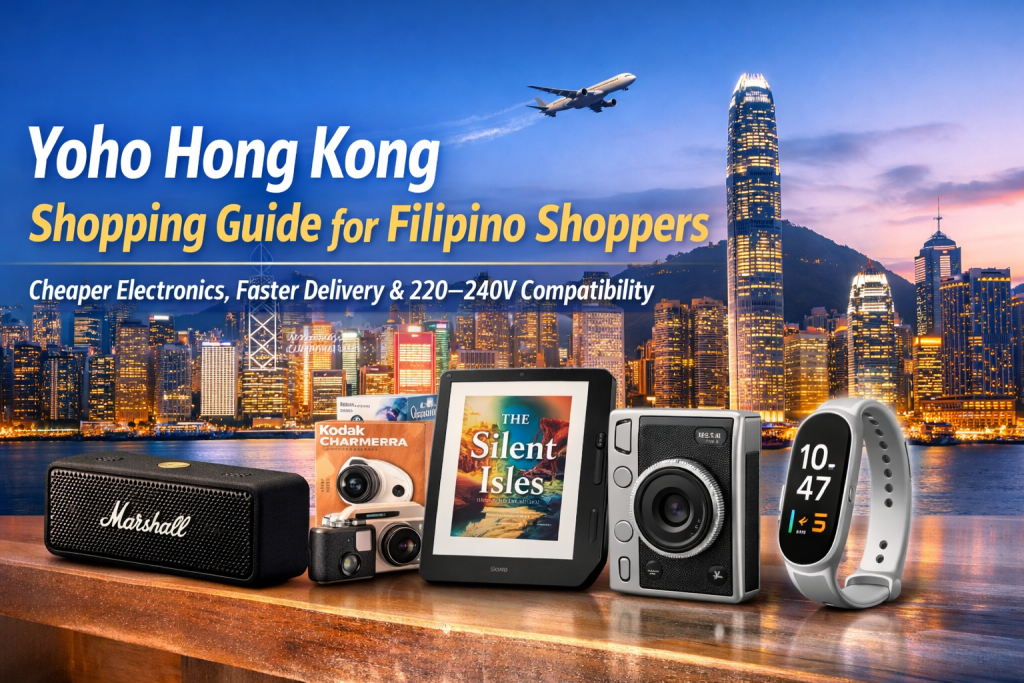
Yoho Hong Kong (yohohongkong.com) is one of Hong Kong’s best-known electronics retailers, with a strong selection of audio gadgets, cameras, e-readers, and smart wearables. For Filipino shoppers, Yoho is a practical overseas option because many items are simply cheaper in Hong Kong—and Hong Kong is much closer to the Philippines than the US or Europe.
In this guide, we’ll highlight 5 popular digital products from Yoho and compare Hong Kong vs Philippines pricing—then show you exactly how to buy from Yoho and ship to the Philippines using Buy&Ship.
Table of Contents
→ I. Why Buy Electronics from Yoho Hong Kong?
→ II. 5 Handpicked Yoho Electronics (HK vs PH Price)
→ III. Yoho Shopping FAQs for Filipino Buyers
→ IV. How to Buy from Yoho & Ship to the Philippines (Step-by-Step)
I. Why Buy Electronics from Yoho Hong Kong?
There are 3 main reasons Yoho Hong Kong makes sense for Filipino shoppers who love gadgets:
- Often cheaper than the Philippines: Many popular electronics (speakers, cameras, e-readers, wearables) can be priced lower in Hong Kong.
- Hong Kong is close to the Philippines: Compared with buying from the US or Europe, the shipping distance is shorter—so delivery is often faster.
- Voltage compatibility: Hong Kong and the Philippines both use 220–240V, so most electronics can be used normally without a voltage converter (always check plug type and included accessories).
CTA (do this now): If you already have a gadget wishlist, open Yoho in one tab and Buy&Ship in another. Shortlist 2–3 items first—then ship them together to the Philippines to manage your delivery more efficiently.
II. 5 Handpicked Yoho Electronics (HK vs PH Price)
Here are 5 handpicked electronics from Yoho Hong Kong. Prices below are indicative to help you see the gap between Hong Kong and the Philippines. Final price depends on live promotions, stock, and official product pages.
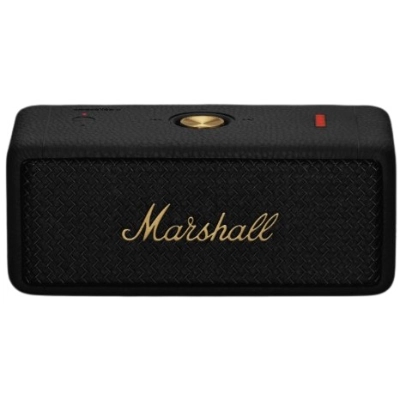
Marshall Emberton II Waterproof Bluetooth Speaker (Black & Brass)
A compact speaker with signature Marshall sound and IP67 water resistance—perfect for beach days, road trips, and everyday listening.
Hong Kong (Yoho): approx HK$1,299 (≈ ₱9,300)
Philippines: approx ₱11,500+
CTA: If you want the better HK price, open the Yoho page and secure your color fast—then ship to PH via Buy&Ship (especially useful if you’re buying more than one item).
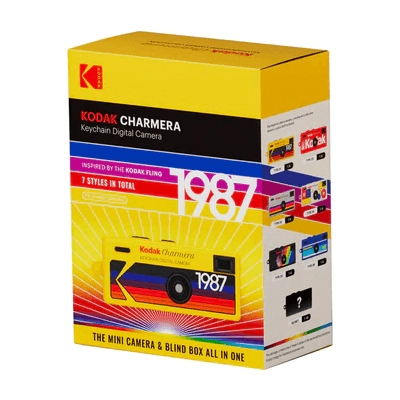
Kodak Charmera Digital Camera Blind Box
A fun collectible digital camera blind box—popular for casual photos, gifting, and “surprise unboxing” content.
Hong Kong (Yoho): approx HK$449 (≈ ₱3,200)
Philippines: approx ₱4,000+
CTA: If you’re buying this for gifting (or content), consider pairing it with another small gadget and shipping together to PH for better efficiency.
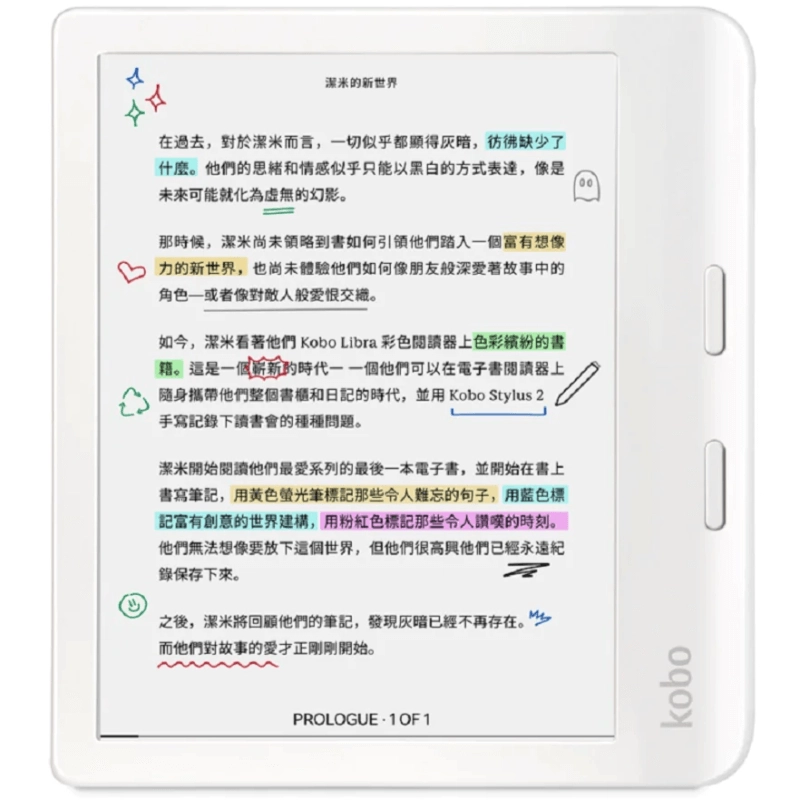
Kobo Libra Colour eReader (White)
A color e-ink reader for book lovers who want a lightweight, eye-friendly screen with long battery life—great for daily reading and travel.
Hong Kong (Yoho): approx HK$1,899 (≈ ₱13,500)
Philippines: approx ₱16,000+
CTA: If you’ve been waiting to upgrade your e-reader, Hong Kong pricing often makes this purchase feel more reasonable—especially when local prices stay high.
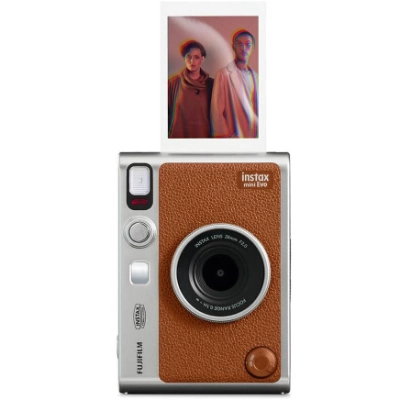
Fujifilm Instax mini Evo Hybrid Instant Camera (Brown)
A stylish hybrid instant camera that lets you shoot digitally and print your favorites—great for gifts, travel memories, and everyday moments.
Hong Kong (Yoho): approx HK$1,799 (≈ ₱12,800)
Philippines: approx ₱15,000+
CTA: If you’re planning a trip soon, this is a “buy now, enjoy sooner” pick—HK is close, so shipping to PH can be quicker than ordering from farther overseas markets.
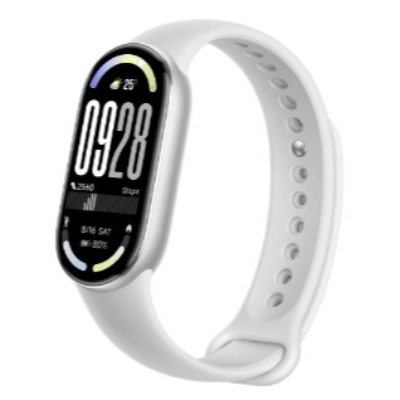
Xiaomi Smart Band 10 (Silver)
A budget-friendly smart band with health tracking and strong battery life—perfect for daily step tracking and fitness monitoring without spending too much.
Hong Kong (Yoho): approx HK$329 (≈ ₱2,300)
Philippines: approx ₱3,000+
CTA: This is a great “add-on item” to ship together with a bigger gadget—so you maximize the value of your shipment.
Note: Prices, promos, and stock availability may change without notice. PHP estimates are for comparison only. Please refer to the official product pages for final details. Product images are copyrighted by the respective brand/retailer.
III. Yoho Shopping FAQs for Filipino Buyers
1) Why is buying from Hong Kong often cheaper than buying in the Philippines?
Hong Kong is a major electronics hub, and pricing can be more competitive. Some models also have stronger promos in Hong Kong, which can create noticeable gaps vs PH retail prices.
2) Will Hong Kong electronics work in the Philippines?
In most cases, yes. Hong Kong and the Philippines both use 220–240V. Always double-check plug type and included accessories (for example, some chargers may need a simple plug adapter depending on the product).
3) What’s the best way to manage shipping costs?
If you’re buying more than one item, it’s smarter to plan your purchases and ship together. Consolidation helps you manage deliveries more efficiently than sending multiple separate parcels.
IV. How to Buy from Yoho & Ship to the Philippines (Step-by-Step)
If Yoho doesn’t ship directly to the Philippines (or if you prefer a simpler cross-border setup), Buy&Ship can help in two ways: Proxy Shopping (Buy&Ship purchases for you) or Package Consolidation (you buy yourself, ship to a warehouse first, then ship to PH).
- Proxy Shopping: best if you want Buy&Ship to help place the order and purchase.
- Package Consolidation: best if you can purchase on Yoho yourself and want to consolidate multiple parcels.
✅ Buy&Ship Proxy Shopping Tutorial
(Best for: shoppers who want Buy&Ship to assist with purchasing and avoid overseas checkout complications.)
Step 1: Submit a proxy request
- Copy your Yoho product link (from the product blocks above).
- Submit a Proxy Shopping request and include details like color/spec, quantity, and any notes.
- Review the estimated item amount and service fee shown by the system.
Step 2: Confirm the quote and pay
- Double-check item details (model/spec) and complete payment.
- Buy&Ship will purchase based on the information you provided.
📌 You don’t need to contact the seller or handle overseas payment steps yourself.
Step 3: Parcel receiving & ship to the Philippines
- After the order is placed, the parcel will be delivered to the designated receiving point.
- Once processed, you’ll pay the shipping fee and arrange home delivery (Philippines).
- Track delivery updates via the Buy&Ship website/app.
✅ Buy&Ship Package Consolidation
(Best for: shoppers who can checkout on Yoho themselves and want to consolidate multiple parcels before shipping to PH.)
Step 1: Buy on Yoho and ship to your Buy&Ship warehouse address
Log in to your Buy&Ship account and copy your assigned overseas warehouse address. Use it as the shipping address when placing your Yoho order.
Step 2: Pre-alert your parcel
- After Yoho provides your tracking info, submit a pre-alert in Buy&Ship (courier + tracking number + category).
- Pre-alerting helps speed up warehouse receiving and reduces delay risk.
Step 3: Consolidate (optional) → pay shipping → receive in PH
When your parcel(s) reach the sorting stage, you can ship as-is or consolidate multiple parcels into one shipment. After paying shipping, arrange home delivery (Philippines) and track updates anytime.
If your priority is saving money and getting gadgets faster than ordering from faraway markets, start with Yoho Hong Kong. Pick 1–2 items from the list above, open the Yoho product page, then use Buy&Ship to ship to the Philippines. If you want the smoothest path, go with Proxy Shopping so you can secure the better Hong Kong price without stressing over cross-border checkout details.